Configuration #
The configuration stores your project’s paths and dates. Every tool window loads them when you click ¶, so you enter them only once. Open it with Config in the menu bar.
Common tab #
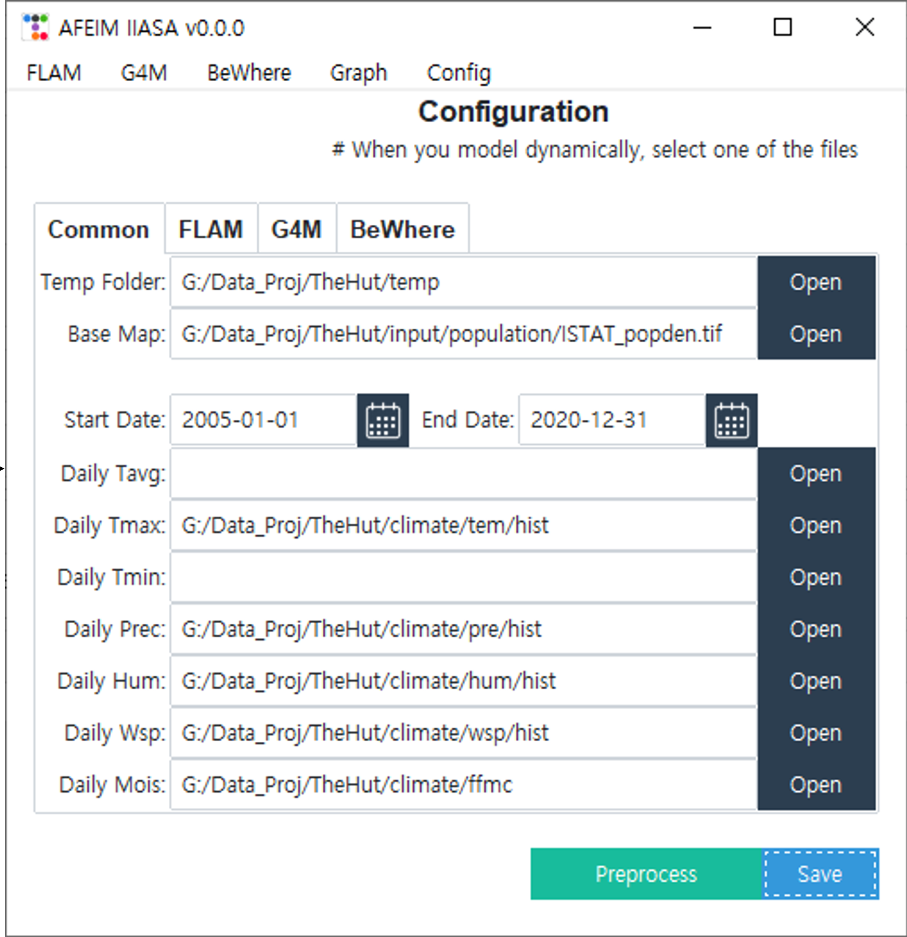
| Field | Type | Notes |
|---|---|---|
| Temp Folder | folder | Saved with the configuration, but the current tools don’t use it. |
| Base Map | raster | The reference grid (CRS, extent, cell size) for all data. |
| Start Date, End Date | YYYY-MM-DD | Default modelling period. |
| Daily Tavg, Daily Tmin | folder | Optional. The FLAM tools don’t use them. |
| Daily Tmax | folder | Temperature input for Daily Fuel Moisture. |
| Daily Prec | folder | Precipitation. |
| Daily Hum | folder | Relative humidity. |
| Daily Wsp | folder | Wind speed. |
| Daily Mois | folder | Daily fuel moisture. This is also where Daily Fuel Moisture writes its output, so set it even if the folder is still empty. |
FLAM tab #
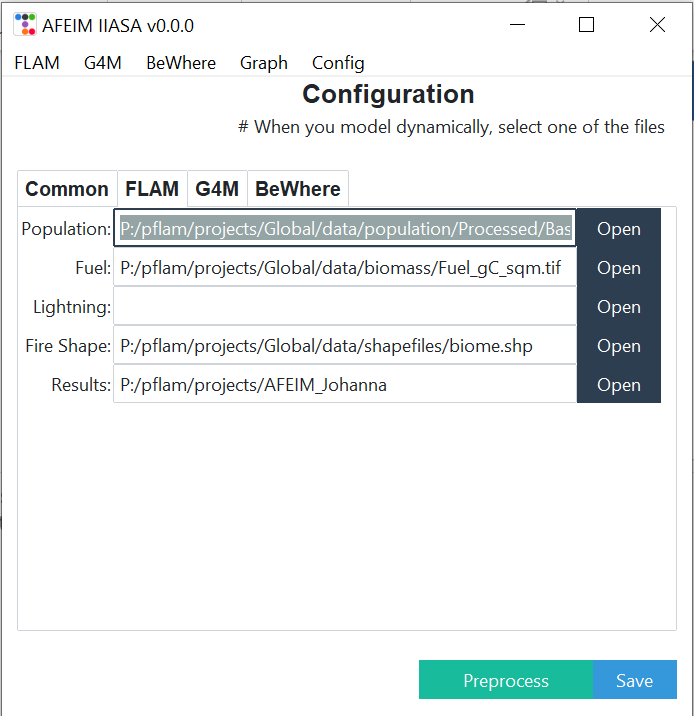
| Field | Type | Notes |
|---|---|---|
| Population | raster | Population density. |
| Fuel | raster | Fuel load. |
| Lightning | folder | Optional. |
| Fire Shape | .shp | Fire perimeters for Create Labeling Data. |
| Results | folder | Root output folder. The tools write subfolders here (P, A_burn, Label_BA_monthly, …), and ¶ looks for them here. |
G4M and BeWhere tabs #
G4M holds the yield table (.xlsx) for Interpret Yield Table. BeWhere is not included in the public build. Contact us if you are interested in these modules.
Save and Preprocess #
Save stores the configuration and returns to the start screen. AFEIM saves it as AFEIM/data/IIASA_IM_Config.ini inside the installed package and loads it at start-up. Each Python environment therefore has its own configuration.
Preprocess aligns Population, Fuel, Lightning and Daily Wsp with the Base Map. If a dataset’s CRS, extent or cell size differs from the Base Map, Preprocess:
- resamples (averages) every raster in that dataset’s folder to the base-map grid,
- writes the results to an
im_datasubfolder, - updates the path in the configuration and saves it.
- Preprocess doesn’t check Tmax, Prec, Hum or Mois. Make sure they already match the base map, or set Base Map in Daily Fuel Moisture.
- Keep each dataset in its own folder. Preprocess processes the whole folder and may point the configuration at a different file than the one you selected.