Frequency Probability #
FLAM › Frequency Probability calculates, for each pixel and day, the probability that a fire starts and isn’t put out right away (P). It combines population, lightning, fuel load and fuel moisture.
Steps #
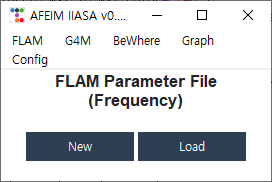
- Parameter file. Click New to create an
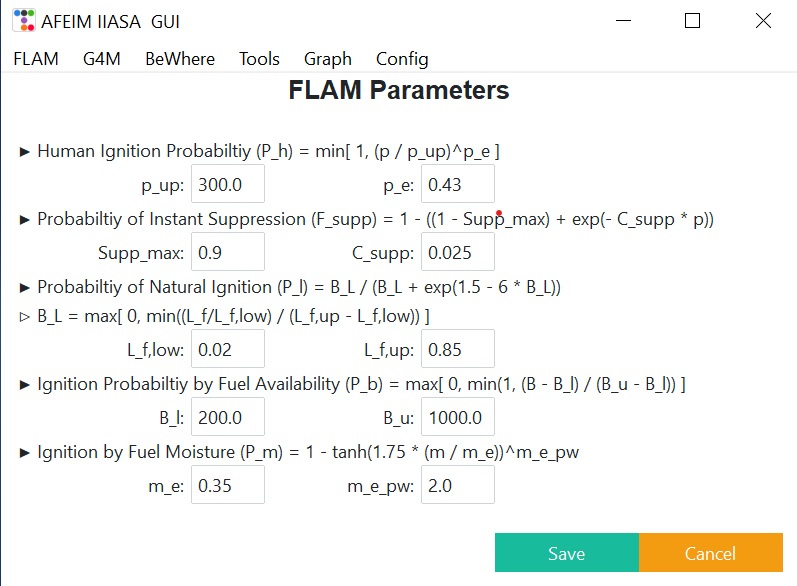
.inifile with default values, or Load to open an existing one. Keep the file: you need the same parameters for scenario runs. - FLAM Parameters. Adjust the values, then click Save. This writes the
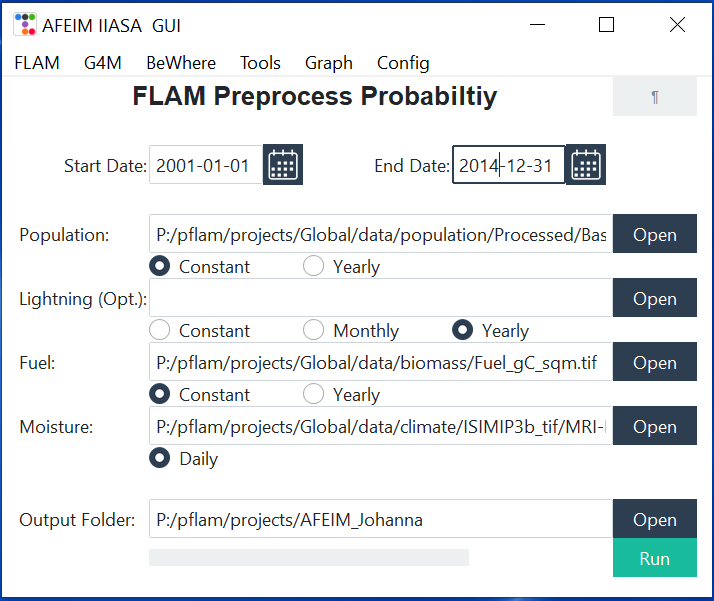
.inifile and opens the next window. - FLAM Preprocess Probability. Set the inputs and click Run.
Parameters #
P_h    = min(1, (p / p_up)^p_e)                         ignition by people
F_supp = clip(Supp_max − exp(−C_supp · p), 0, 1)        instant suppression by people
P_l    = B_L / (B_L + exp(1.5 − 6·B_L))                 ignition by lightning
         B_L = clip((L_f − L_f,low) / (L_f,up − L_f,low), 0, 1)
P_b    = clip((B − B_l) / (B_u − B_l), 0, 1)            fuel availability
P_m    = 1 − tanh(1.75 · m / m_e)^m_e_pw                fuel moisture
p is population density (people/km²), L_f lightning density (flashes/km²/month), B fuel load (gC/m²) and m fuel moisture (fraction).
| Parameter | Default | Meaning |
|---|---|---|
p_up | 300 | Population density at which P_h reaches 1 |
p_e | 0.43 | Shape of the P_h curve; smaller values make P_h rise faster at low density |
Supp_max | 0.9 | Maximum probability of instant suppression |
C_supp | 0.025 | How quickly suppression increases with population density |
L_f,low | 0.02 | Lightning density below which P_l = 0 |
L_f,up | 0.85 | Lightning density above which P_l is at its maximum |
B_l | 200 | Fuel load below which fire can’t ignite (P_b = 0) |
B_u | 1000 | Fuel load above which fuel doesn’t limit ignition (P_b = 1) |
m_e | 0.35 | Moisture of extinction |
m_e_pw | 2.0 | Shape of the P_m response to moisture |
The defaults are a generic starting point. Adapt them to your region.
The formulas shown in the GUI window contain typos for
B_L. The equations on this page match the code.
Inputs #
| Field | Time step | Required | ¶ fills from |
|---|---|---|---|
| Start Date, End Date | yes | Config dates | |
| Population | Constant / Yearly | yes | Population |
| Lightning (Opt.) | Constant / Monthly / Yearly | no | Lightning |
| Fuel | Constant / Yearly | yes | Fuel |
| Moisture | Daily (folder) | yes | Daily Mois |
| Output Folder | yes | Results |
How the Population, Lightning and Fuel fields work:
- Each field takes a file.
- For Constant, the tool uses that file.
- For Yearly or Monthly, select any one file of the series. The tool uses all rasters in that file’s folder.
- ¶ guesses the time step from the number of files in each folder: one file means Constant. Check the guess before you click Run.
The configuration stores Lightning as a folder. After clicking ¶, use Open to select a file inside that folder. Otherwise, Monthly and Yearly runs read the wrong folder.
Output #
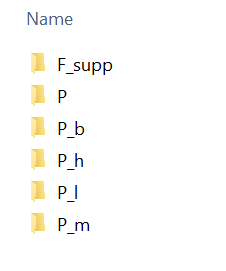
The tool creates these subfolders in the Output Folder:
| Folder | Files | Content |
|---|---|---|
P_h, F_supp | P_h.tif or P_h_YYYY.tif | Human ignition and suppression |
P_l | P_l.tif, P_l_YYYYMM.tif or P_l_YYYY.tif | Lightning ignition (empty without lightning data) |
P_b | P_b.tif or P_b_YYYY.tif | Fuel availability |
P_m | P_m_YYYYMMDD.tif | Fuel moisture effect |
P | P_YYYYMMDD.tif | Daily fire probability per pixel. NoData −999. |
The equations give the probability for a reference area of 1000 km². Before saving, AFEIM converts it to each pixel’s area A (km²) with P_pixel = 1 − (1 − P)^(A/1000).
The subfolder names are fixed. Use a separate Output Folder for each scenario so that runs don’t overwrite each other.